The 121bey app puts bingo, live casino, and sports betting in the palm of your hand. Simple installation, smooth interface, and all the site's features in a lightweight and stable app.
Also available directly in the browser — no installation needed.
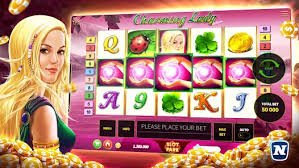
Modern and responsive interface, just like the site — right in your pocket.
The app is available for Android and iOS, and those who prefer can use it directly in the browser without installing anything.
On Android, the 121bey app is distributed as an APK — a direct installation file, with no need for the Google Play Store. The process is simple and takes less than two minutes. Here's how:
Open your Android browser (Chrome works best) and go to 121bey.net/download to make sure you are downloading the latest version of the app.
Click "Download Android APK". The file will be downloaded automatically to your phone's downloads folder. This may take a few seconds depending on your connection.
Android may ask for permission to install apps from outside the Play Store. Go to Settings › Security › Unknown Sources and enable the option for your browser. This is a one-time setting and you can revert it afterwards.
In the notification bar or your downloads folder, tap the downloaded file and confirm the installation when prompted by the system. The process is quick.
Once installed, the 121bey icon appears on your home screen. Tap to open, log in with your account or create a new one, and enjoy.
The 121bey APK is secure and does not collect data beyond what is necessary for the app to function. Read our Privacy Policy for more details.
Simple and straightforward process — from download to first login in under 2 minutes.
On iOS, installation works via a configuration profile or directly as a PWA added to your home screen through Safari. Neither option requires the App Store. Here's how:
Use Safari — not Chrome — for the best installation experience on iOS. Visit 121bey.net/download from your iPhone or iPad.
The system will guide you through the configuration profile installation or home screen shortcut setup, depending on your iOS model.
Go to Settings › General › VPN & Device Management, select the 121bey profile and tap "Install". iOS will ask for your lock screen passcode to confirm.
After installation, the 121bey icon appears on your home screen just like any other app. Tap to open and log in as usual.
Prefer not to install anything? Add 121bey.net as a shortcut to your home screen via Safari: tap the share icon and select "Add to Home Screen".
Compatible with iPhone and iPad — no App Store required.
Both options work great. See what each one offers to decide which fits best into your daily routine.
| Feature | Native App | Browser |
|---|---|---|
| Partial offline access | ||
| Push notifications | ||
| Home screen shortcut | ||
| No installation required | ||
| Automatic update | ||
| Live Casino | ||
| Live sports betting | ||
| Withdrawal via Pix | ||
| Optimized performance | Depends on the device |
Bingo, live casino, betting, and withdrawal via Pix — all in one place.
The app was designed to deliver the same complete experience as the site, optimized for mobile screens. It is not a scaled-down version — it is the full platform adapted for mobile, with a few exclusive advantages for app users.
Real-time bingo rooms with cards in R$ and instant results. The in-app experience is smoother than the browser on mobile connections.
Roulette, blackjack, and baccarat with real dealers streamed in HD. Streaming automatically adjusts to your connection quality.
Soccer, basketball, and more — with pre-game and live betting. Real-time updated odds and parlay bets available.
Request withdrawals directly through the app and receive funds in BRL to your bank account, without leaving your phone.
Receive alerts for promotions, betting results, and processed withdrawals directly on your lock screen.
Dark mode interface by default, designed for long sessions without straining your eyes — especially at night.